




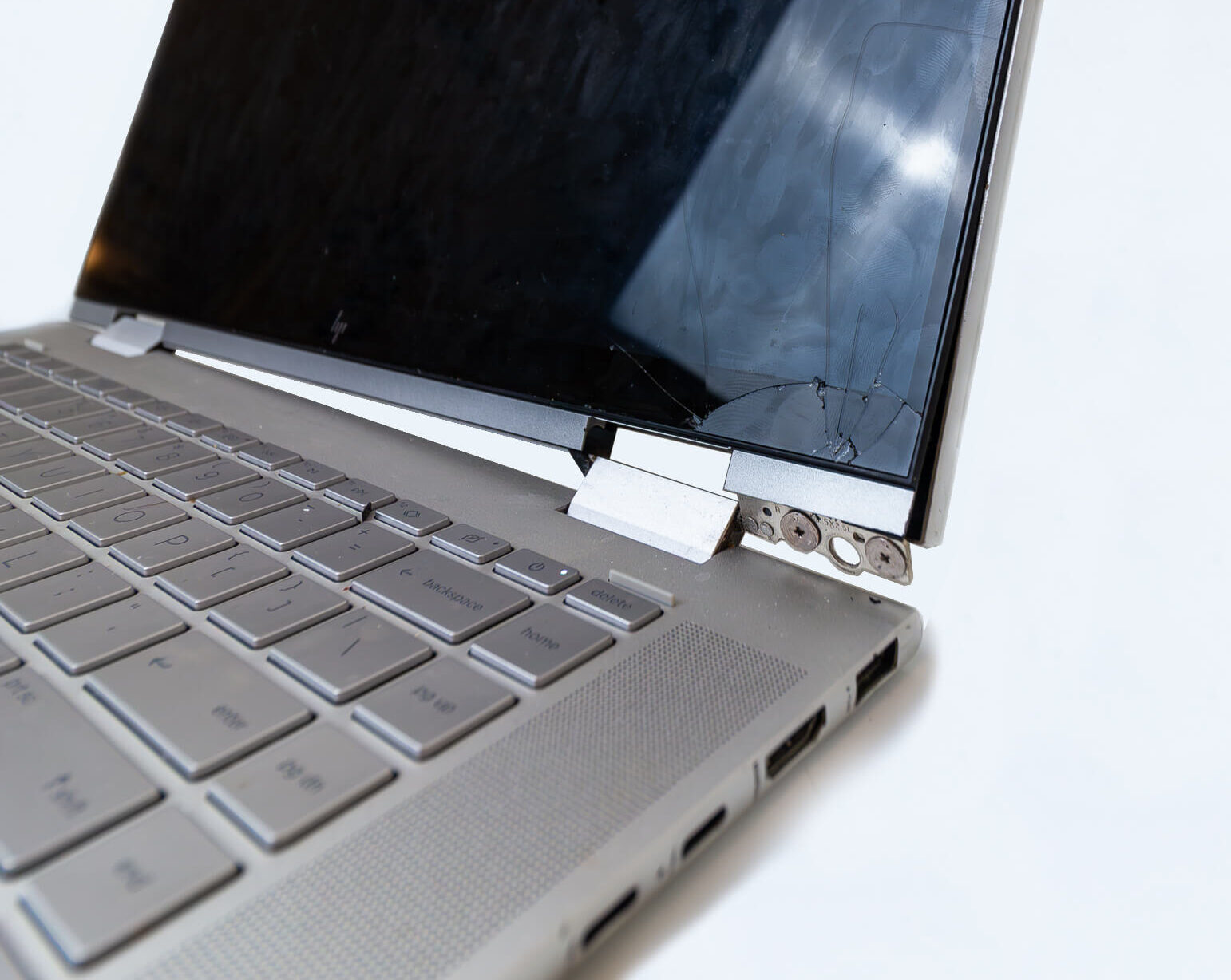
If your laptop hinge has started to pull away from the screen, or you can see it visibly sticking out from the casing, it’s understandably concerning. The reassuring part is that this is one of the most common repairs we do — and in almost every case, it’s completely fixable. Here’s what’s actually going on and what the repair looks like.
What’s actually causing the problem?
Despite what it looks like from the outside, the hinge mechanism itself is rarely the part that fails. What actually happens is this: the hinge is secured to the plastic top lid cover — the back panel that houses your screen — using small screws that thread into brass inserts moulded into the plastic. Over time, the repeated force of opening and closing the lid causes the plastic around those inserts to gradually break down. Eventually the hinge loses its anchor point and begins to pull away from the cover.
This is an extremely common issue across consumer-grade Windows laptops from most major brands — Dell, HP, Lenovo, ASUS, Acer and others. It’s a known design characteristic of how most laptop lids are constructed, so if it’s happened to yours, you’re certainly not alone.
What are the early signs to look for?
- Screen feels loose or floppy — The screen moves or wobbles more than it used to.
- Something feels off when opening — There’s a subtle looseness or flex that wasn’t there before.
- Clicking or resistance — A clicking or uneven resistance when opening or closing the lid.
- Casing separating near the hinge — The plastic is lifting, cracking, or visibly separating.
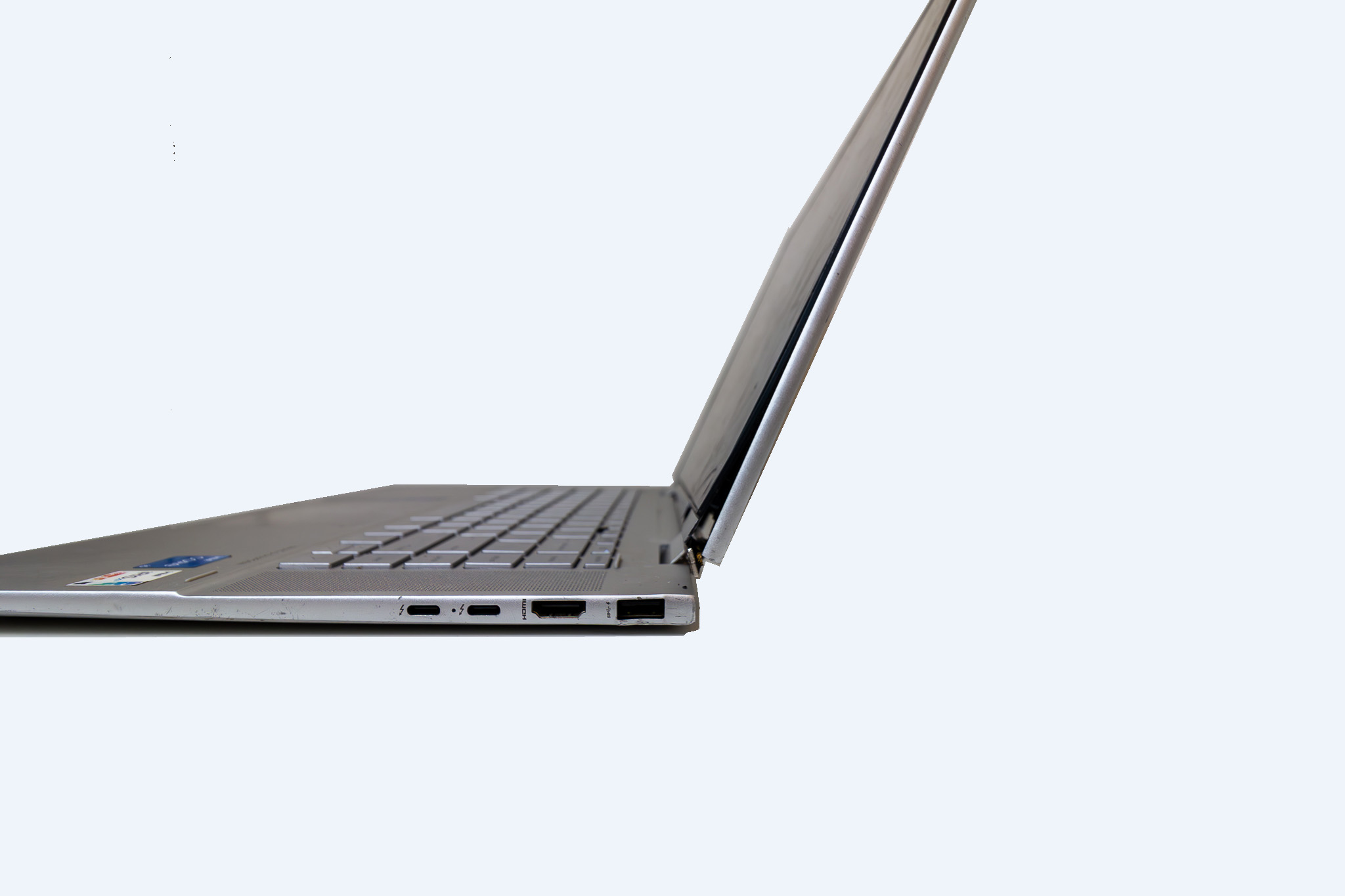
- Hinge visibly sticking out — The hinge is pulling away or protruding from the side of the screen panel.
- Screen damage near the hinge — On thinner models, the hinge pulling away can put pressure on the LCD panel.
Can the hinge breaking affect the screen?
On some models, yes. On thinner laptops, the LCD screen sits very close to the hinge mounting point. When the hinge tears away from the plastic, it can put direct pressure on the screen panel. If this has happened, it simply means both the top lid cover and screen panel will need replacing as part of the same job. Labour remains $199 inc GST either way, with parts quoted separately.
What does the repair actually involve?
The repair involves replacing the plastic top lid cover with a new one. The hinge reattaches correctly to the new cover, and the screen is refitted and fully tested before the laptop is returned to you. Parts are sourced to match your exact make and model. Most major brands have good availability, though some models may need ordering from overseas — adding a two to three week lead time. We’ll confirm everything before any work begins.
Is it worth repairing?
In almost every case, yes. If your laptop is otherwise working well, a top lid cover replacement is cost-effective and gives the machine a new lease on life. Labour is a fixed $199 inc GST, with parts quoted separately. If there are other factors to consider — age, condition, additional issues — we’ll give you a straightforward recommendation either way.
Frequently asked questions
How long does the repair take?
If parts are in stock locally, most repairs are completed within a few days. If ordered from overseas, a two to three week lead time may apply. We’ll confirm this before any work begins.
How much does it cost?
Labour is $199 inc GST. Parts are quoted separately. If the screen has also been affected, that’s an additional parts cost — labour stays the same. Everything is confirmed before we proceed.
Does this happen on all laptop brands?
It’s very common across most consumer-grade Windows laptops — Dell, HP, Lenovo, ASUS, Acer and others. It’s a known characteristic of how most laptop lids are built.
Can I keep using my laptop while I wait for parts?
In many cases yes. We’ll let you know at the time of assessment whether it’s safe to continue using in the interim.